Symphony

Where every Worksheet is a Symphony

Emerging Business. Trusted Teams. Communication Harmony.
Mira, the Symphony — holding her worksheet mug and Symphony notebook
For Emerging Business

Make Excel Work Better for Your Business.

Emerging businesses rely on Excel for everything. As your business grows, collaborating on these spreadsheets can become difficult.

You could replace them with CRM, ERP, or other business applications — but these tools can be difficult to adopt, expensive to implement, manage, and maintain.

Symphony helps your team collaborate using the Excel processes you already have.

There is No need to replace Excel. No need to change how your business works.

Trusted technology

Symphony is built on technology trusted for years by teams at:

Features

Six commands. Works with Excel.

Submit
  1. Edit the worksheet.
  2. When ready Submit your changes.
  3. Your team can now Refresh.
See it in action
Refresh
  1. Use the worksheet privately.
  2. When ready Refresh changes.
  3. Review what changed.
See it in action
Invite
  1. Share a worksheet with your trusted team.
  2. Add emails, send the Invite.
  3. Now you can Submit and Refresh with your team.
See it in action
Changes
  1. Select cell, row, or a worksheet.
  2. Click Changes.
  3. Review the changes.
See it in action
xCopy
  1. Select source worksheet.
  2. Click xCopy.
  3. You are ready to xPaste.
See it in action
xPaste
  1. Open target worksheet.
  2. Click xPaste.
  3. The worksheet is now part of different workbooks.
See it in action
The Story

See it unfold.

Step 01 of 06

The Value.

Smooth and harmonious communication with trusted teams.

Excel pain eliminated.

Information value and trust increases.

Benefits

The Unique Benefits.

01

Work privately and Sync-By-Choice.

02

Share worksheets and not the whole workbook.

03

Assemble information from multiple workbooks, eliminate copy and paste.

04

Conduct private conversations (one worksheet, one conversation) in the same workbook.

05

Understand what, when, why, and who changed the information.

06

Store Excel information in a Database, not a file — and without IT help.

Do you face these challenges in collaboration?

01

You can't combine information across spreadsheets.

Sales says one thing. Finance says another. Nobody knows which numbers are the real ones.

02

You copy and paste between spreadsheets.

An hour a day, sometimes more. The paste breaks a formula. You catch it three days later — if you catch it at all.

03

There are too many spreadsheets.

One for each customer. One for each month. One for each version of each. The proliferation itself becomes the problem.

04

The file has too much data.

It loads slowly. Formulas take seconds to recalculate. Someone's laptop crashes at the wrong time.

05

You can't control who sees what.

Sharing the workbook shares everything in it. Sensitive tabs travel with the one row you meant to send.

06

Your changes get overwritten, sometimes without notice.

You made edits. So did someone else. Auto-save landed theirs on top of yours — or the file got tangled somewhere in the middle.

07

You can't try something quietly.

You want to test a scenario, sketch a rough number, or explore a what-if. The moment you type, everyone can already see it.

08

You can't reconstruct what happened.

Who changed that number? When? For what reason? The version history shows keystrokes, not the story behind the change.

09

Every version gets emailed around.

Five copies of the same spreadsheet in your inbox. Three have edits. You're not sure which one is current.

How to use Symphony

Many Shapes of conversations.

01
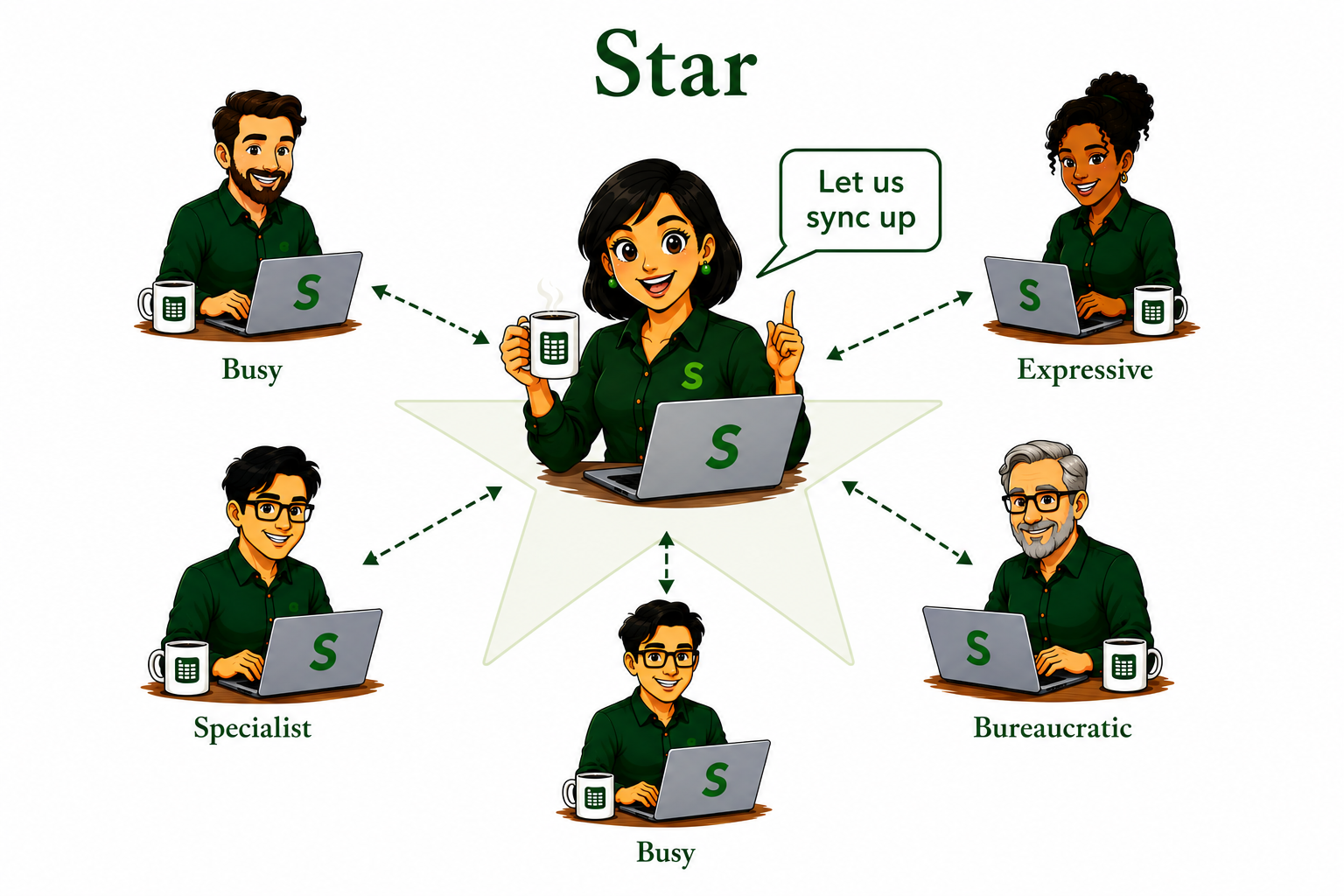
Star
Communicate with many to generate a summary.
Star Shape: Mira at the center synthesizing inputs from five owl contributors — Thinker, Busy, Expressive, Specialist, and Bureaucratic

You are responsible for producing a summary worksheet on a regular schedule. To do this, you need input from a group of contributors.
  1. Invite each contributor to work privately on dedicated worksheet(s)
  2. Refresh their inputs and iterate until you reach alignment
  3. Update the final summary worksheet
  4. Invite interested parties to view the final summary worksheet
02
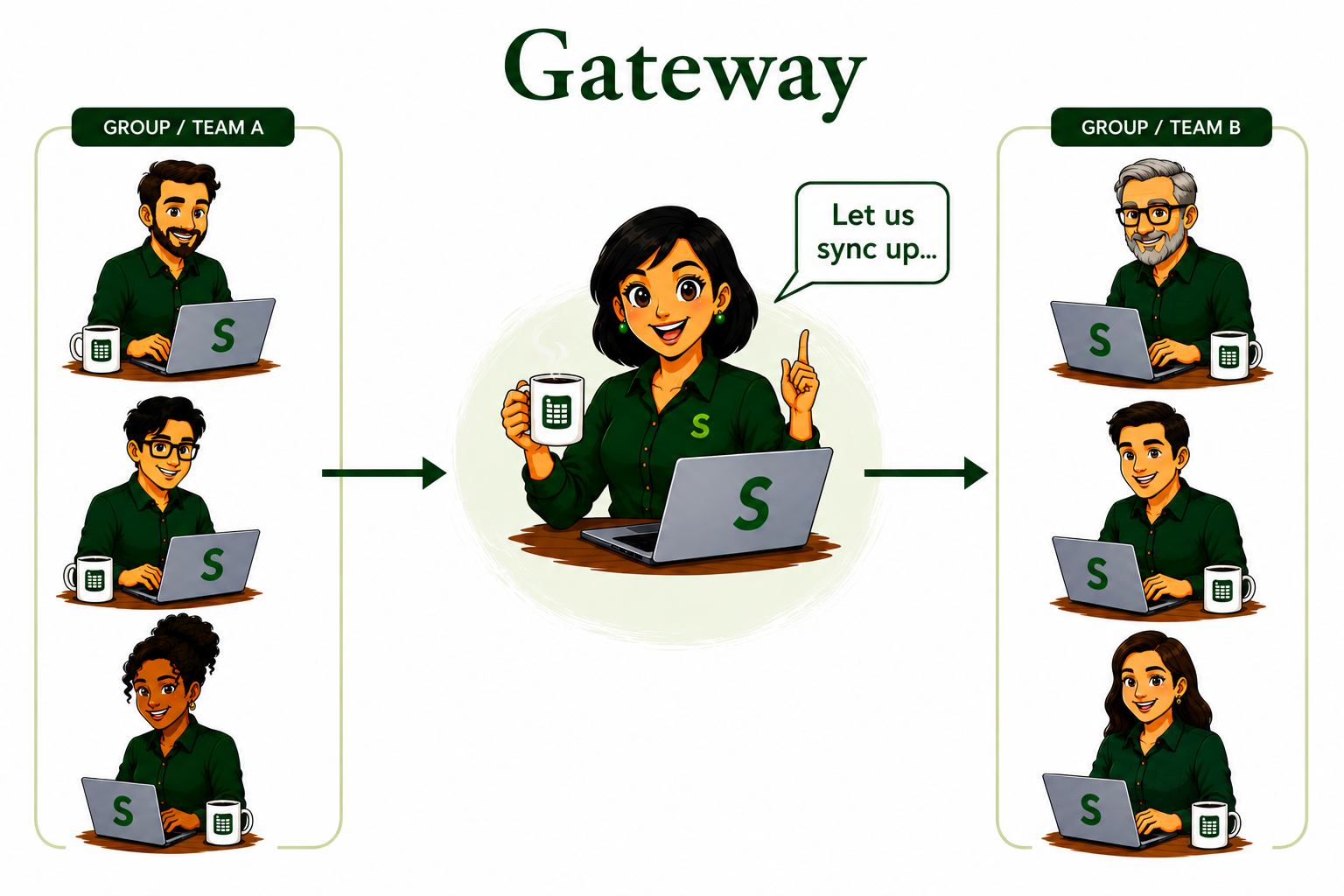
Gateway
Control the flow of information between groups.
Gateway Shape illustration

You are the bridge — the liaison between two important parties.
  1. Invite each party to private and dedicated worksheet(s)
  2. Refresh key inputs from one party and update the second party's worksheet
  3. Submit changes to the second party
03
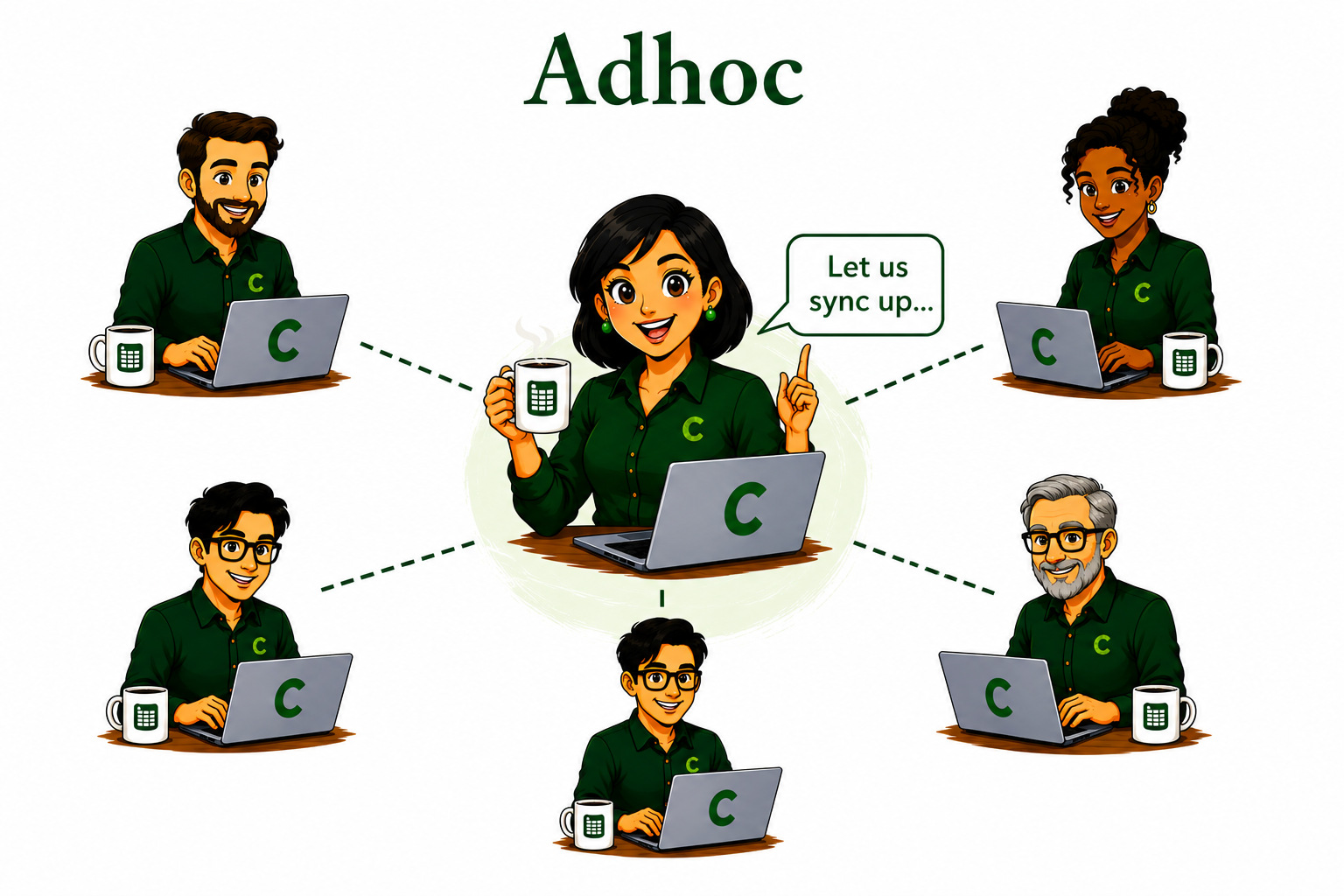
Adhoc
Crisis management or an urgent creative exploration.
Adhoc Shape illustration

You are in the middle of an urgent crisis or creative exploration.
  1. Invite your trusted circle to a set of common or dedicated worksheets
  2. Submit and Refresh as a group or privately
  3. Iterate until you arrive at a solution
04
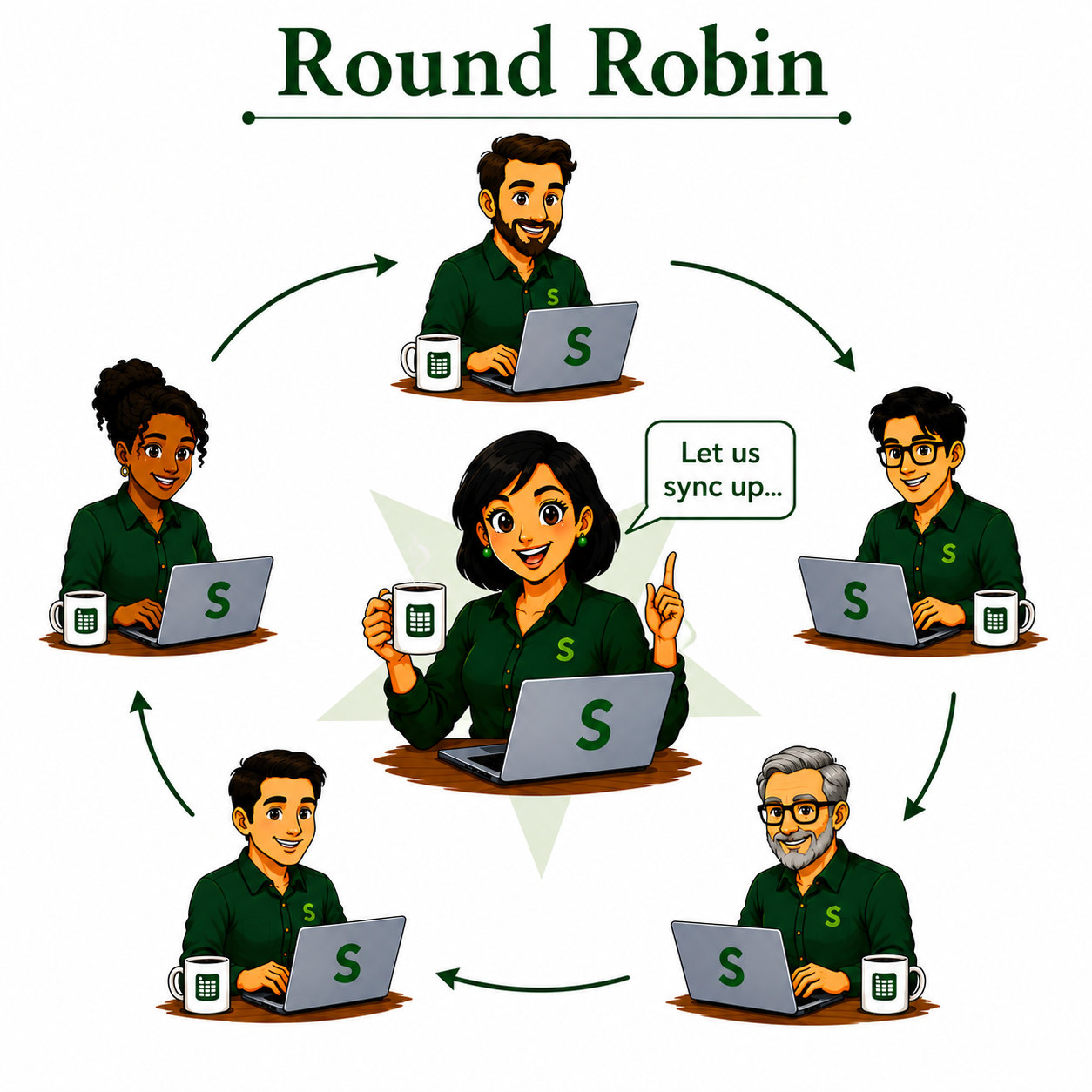
Round-Robin
Align a circle of peers to meet a higher-level objective.
Round Robin Shape illustration

You and a group of peers have been given a goal — you have a dependency on others to build your plan. Others depend on you to build their plan.
  1. You and your peers are sitting at a round table
  2. The person to your right has invited you to their plan worksheets — xCopy / xPaste them into your workbook
  3. Refresh these worksheets to receive their latest plans
  4. Work privately and update your specialized worksheets
  5. When ready, update your final plan worksheets — the ones you shared with the person on your left
  6. Go around the circle until everyone is aligned
05
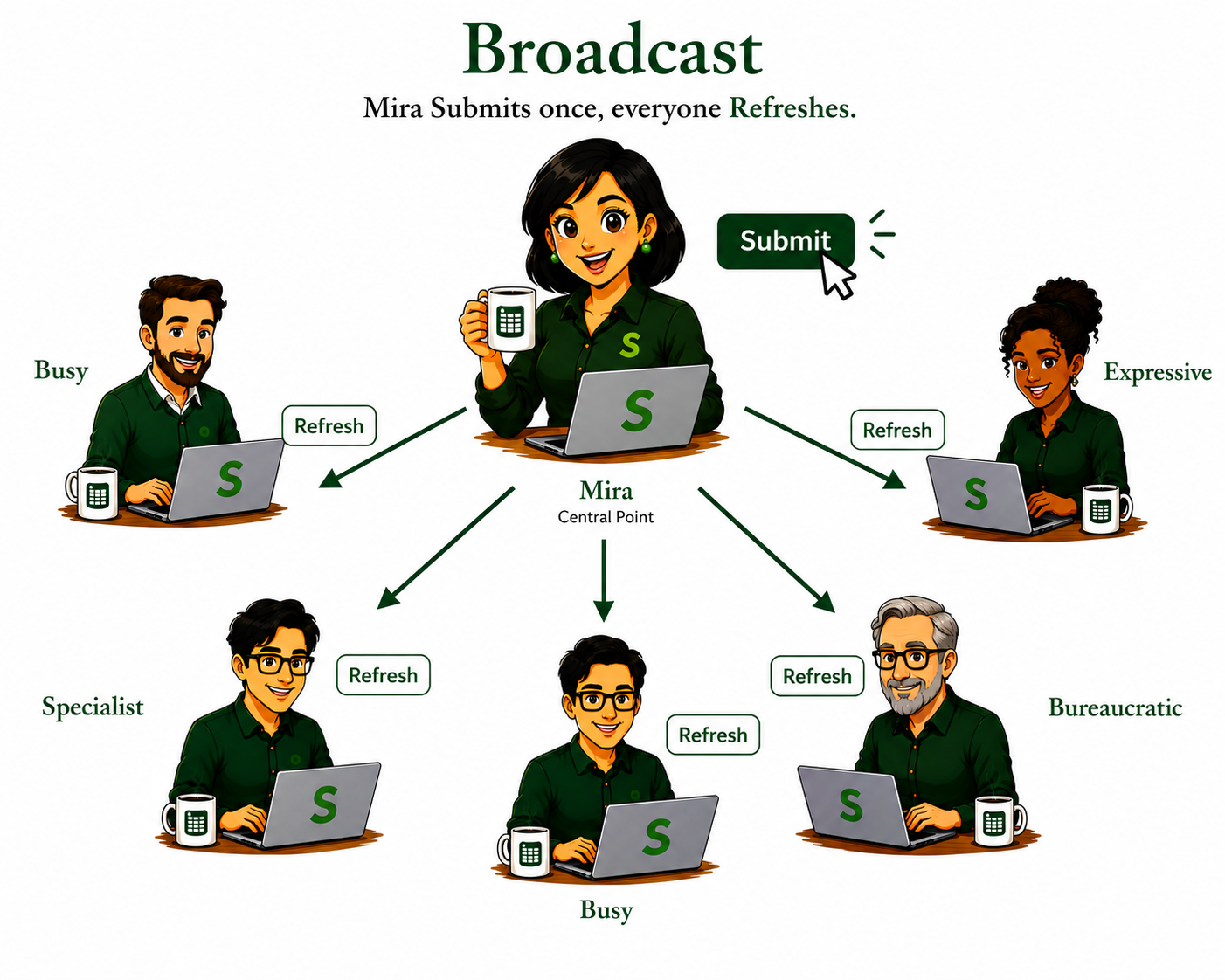
Broadcast
Manage and publish commonly used information.
Broadcast Shape illustration

You are responsible for periodically updating a worksheet that is used by multiple parties.
  1. Invite parties to access the worksheet
  2. Parties open the worksheet in their workbooks
  3. Submit new information and notify parties
  4. Invited parties Refresh to see what changed
06
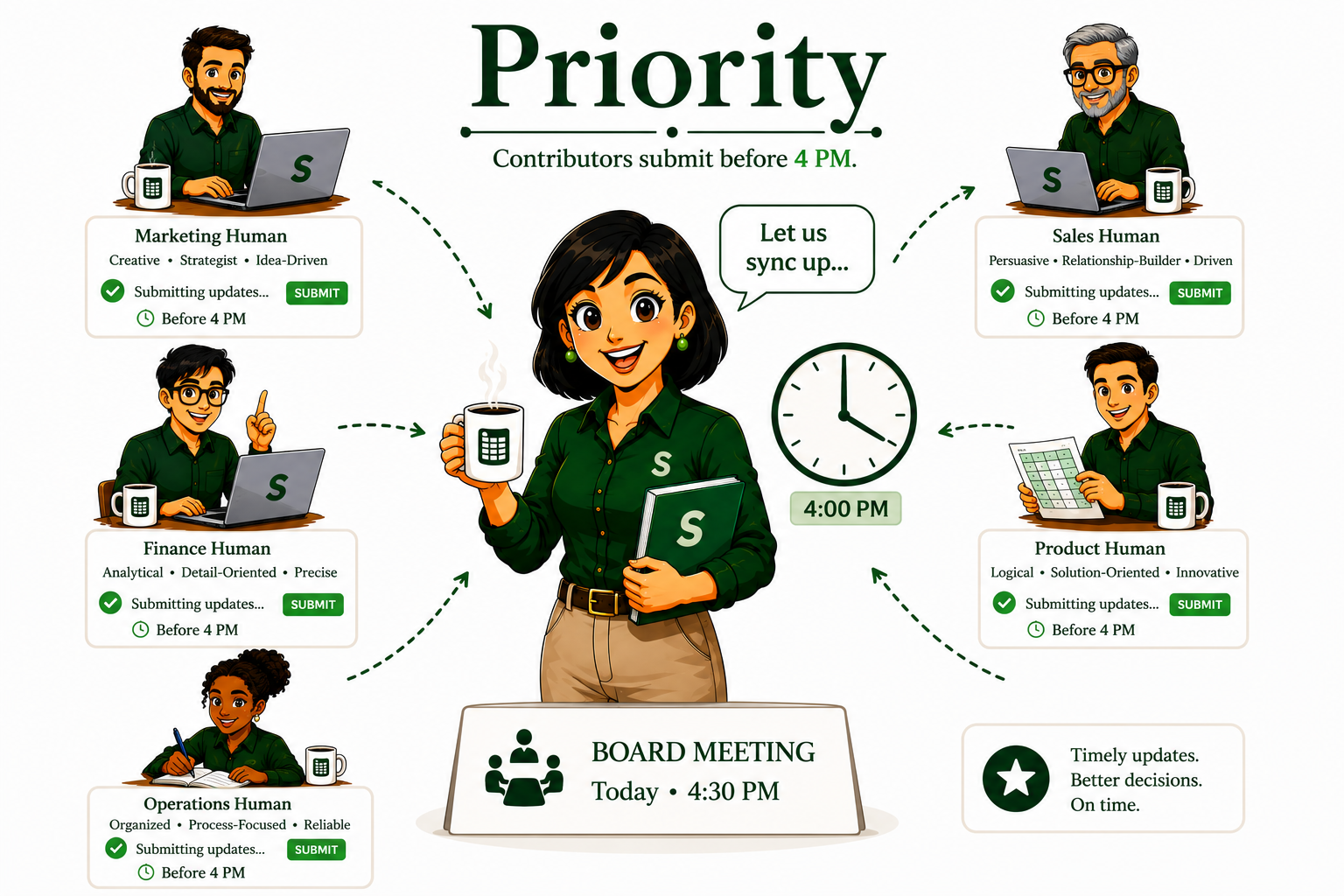
Time & Space Priority
Collect time-sensitive updates.
Time & Space Priority Shape illustration

You need information from a contributor at a specific time.

  1. Invite a contributor to update the worksheet before a specific time
  2. The contributor Submits data before the agreed-upon time
  3. Refresh the worksheet at the designated time to see what, why, who, and when it changed
Use Cases

Symphony fits into critical team conversations.

Pricing

Business License for your whole team.

The Business License applies for your whole team, not per seat.

Medium
Business Team
Contact us

Custom licensing for medium businesses.

symphony@boardwalktech.com
Large
Business Team
Contact us

Custom licensing for larger organizations.

symphony@boardwalktech.com
Download

Download Symphony.

Download for Windows
Excel 2016 or later · Windows 10 / 11
Download for Mac
Coming soon
Coming soon
Buy Symphony.