A worksheet for every conversation.



Symphony helps teams move faster, communicate cleaner, and understand what happened — without the cost of a new tool to learn.
One tool for teams to share, discuss, and align — no context switching between spreadsheets, docs, and chat. Every conversation lives in its own worksheet.
When everyone works on the same worksheet with clear ownership, decisions get made faster with better data. No stale attachments, no reconciling versions, no lost updates.
A single source of truth for every conversation. No version drift. No confusion about which spreadsheet is the latest. Everyone Refreshes and sees the same picture.
Symphony is a lightweight Excel add-in. Teams already know the interface. Six commands is all anyone learns. No IT deployment, no onboarding sessions, no consultants.
Users iterate privately and Submit only when they're ready. Work-in-progress stays private until it isn't — unlike real-time co-authoring, no one is watching over your shoulder.
Every change captures user, time, and reason. Compare any two transactions to see exactly what moved between them — and why.
Conduct a private conversation per worksheet — bring together multiple conversations into a single workbook.
xCopy and xPaste allow you to bring the same worksheet into multiple workbooks and keep them in sync. This lets you bring relevant information together in a workbook — making your work easier and higher quality.
Build a workbook with the right worksheets to streamline communication and decisions.
Symphony lets users work privately and in parallel — users Submit or Refresh only when they are ready to share changes. Unlike real-time co-authoring, don't confuse peers with work-in-progress changes.
Understand who changed a cell, a row, or a worksheet — when, and why. This makes changes easier to understand, and efficient.
Every Submit groups a set of cell, row, and column changes in a single transaction. Transactions capture only user-permitted, consistent data — compared to file versioning that captures all keystrokes and all the associated noise at a file level.
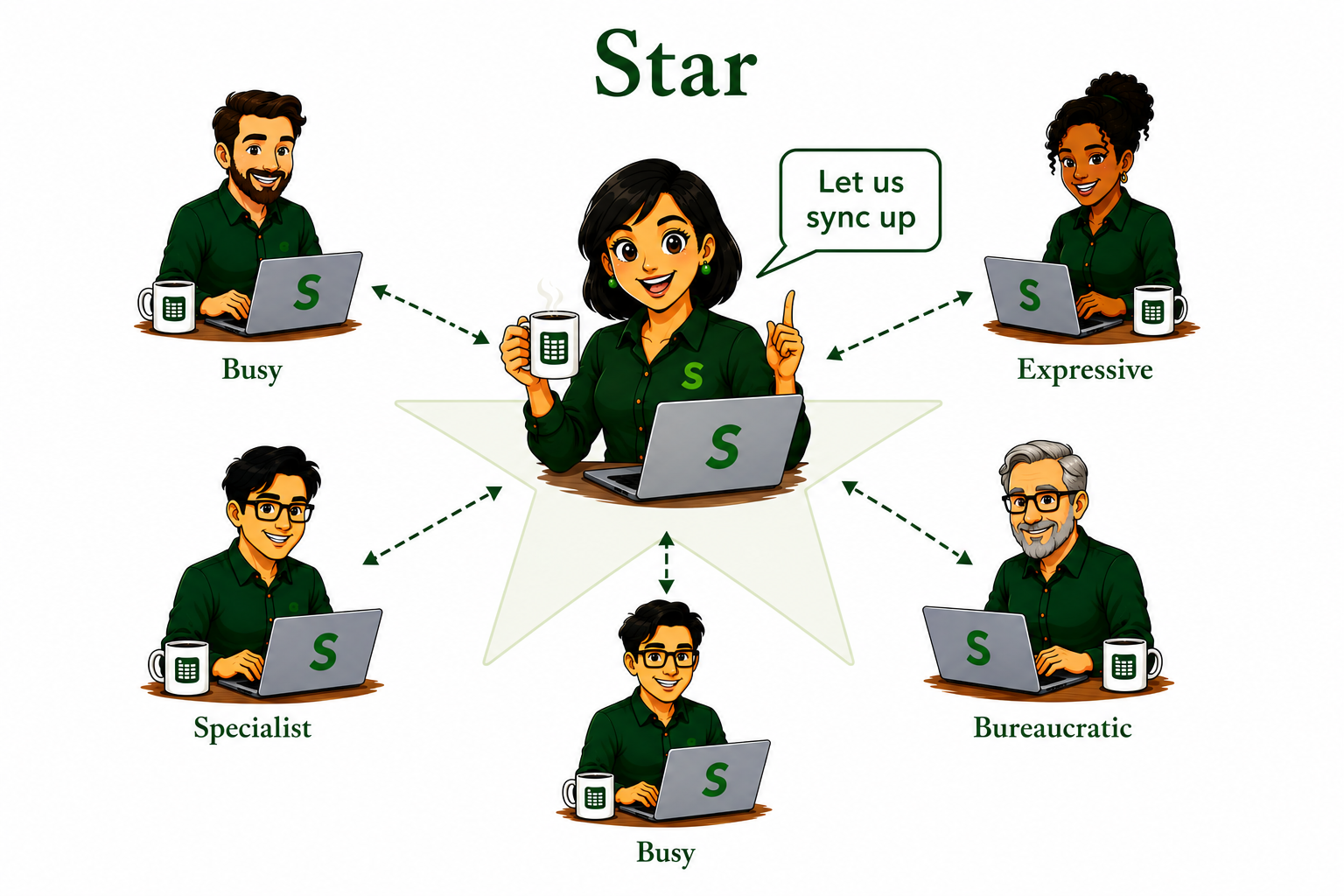
You are responsible for producing a summary worksheet on a regular schedule. To do this, you need input from a group of contributors.
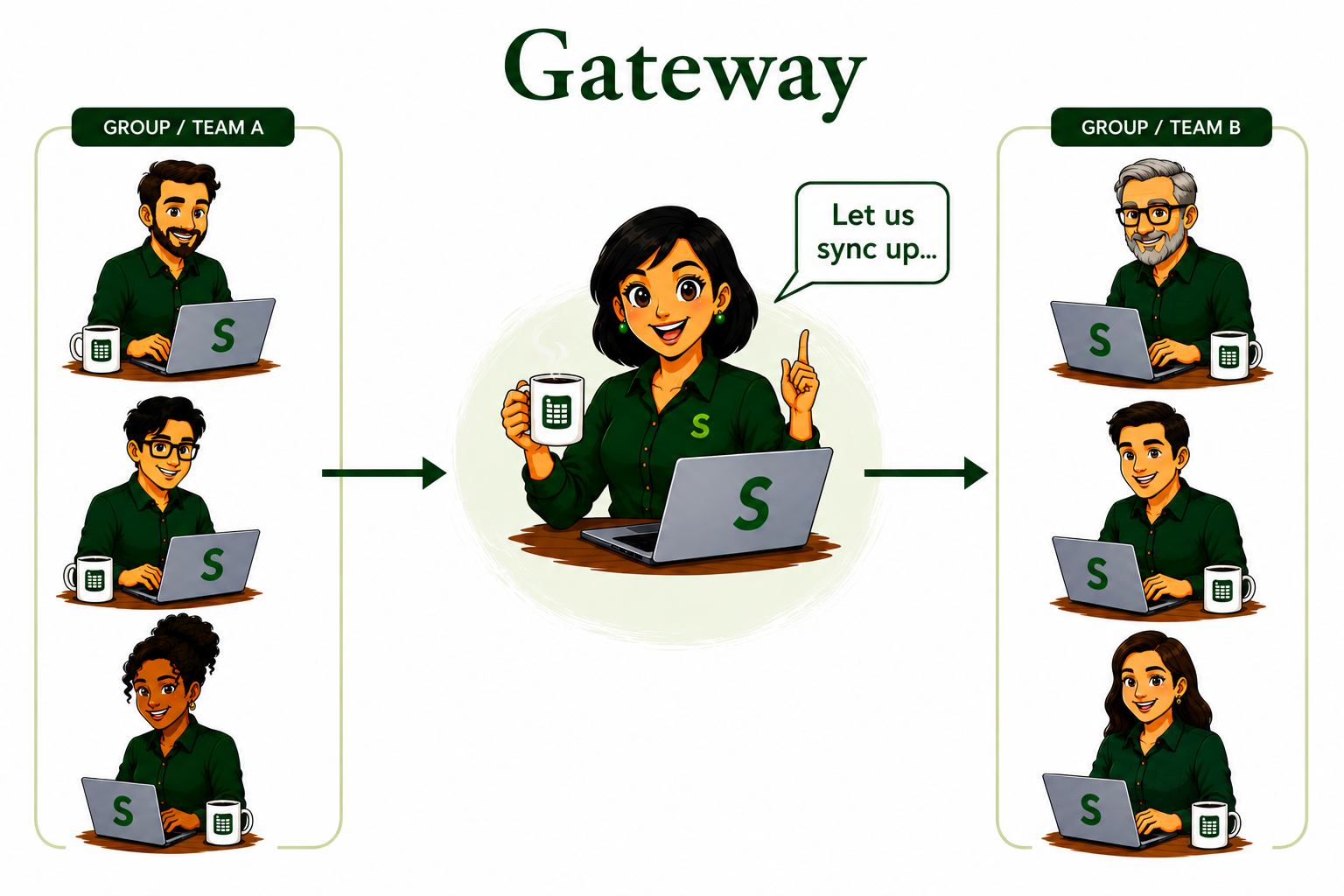
You are the bridge — the liaison between two important parties.
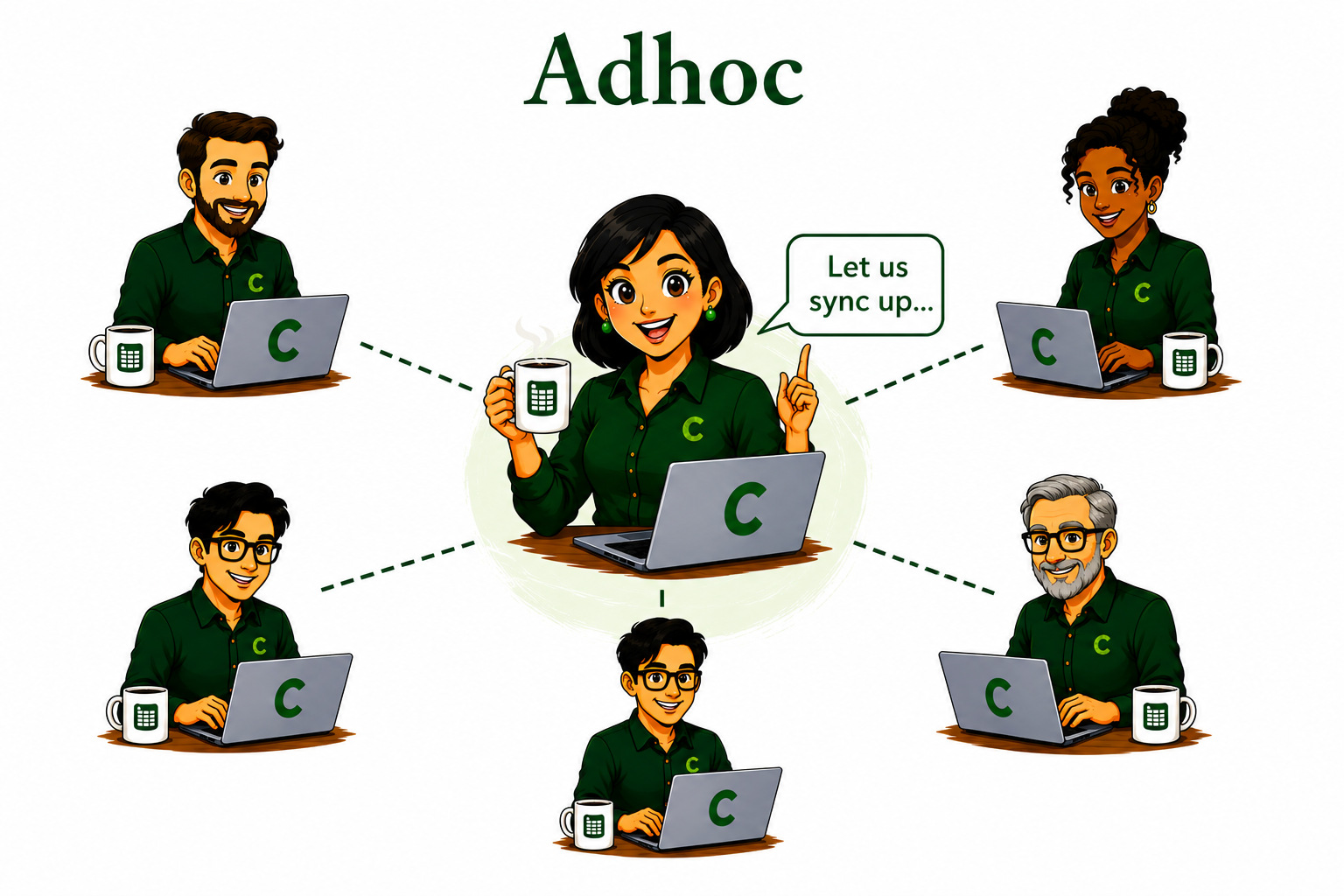
You are in the middle of an urgent crisis or creative exploration.
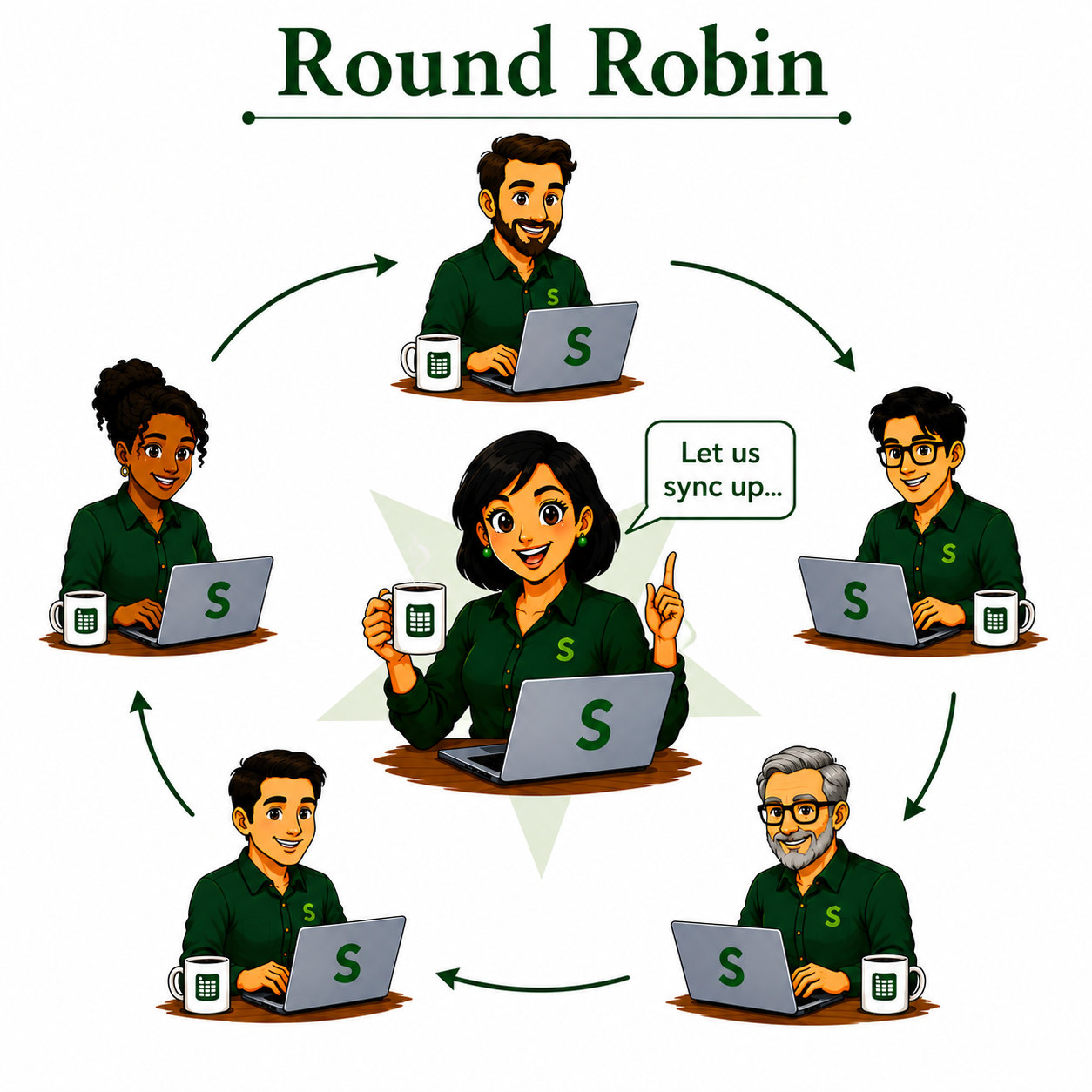
You and a group of peers have been given a goal — you have a dependency on others to build your plan. Others depend on you to build their plan.
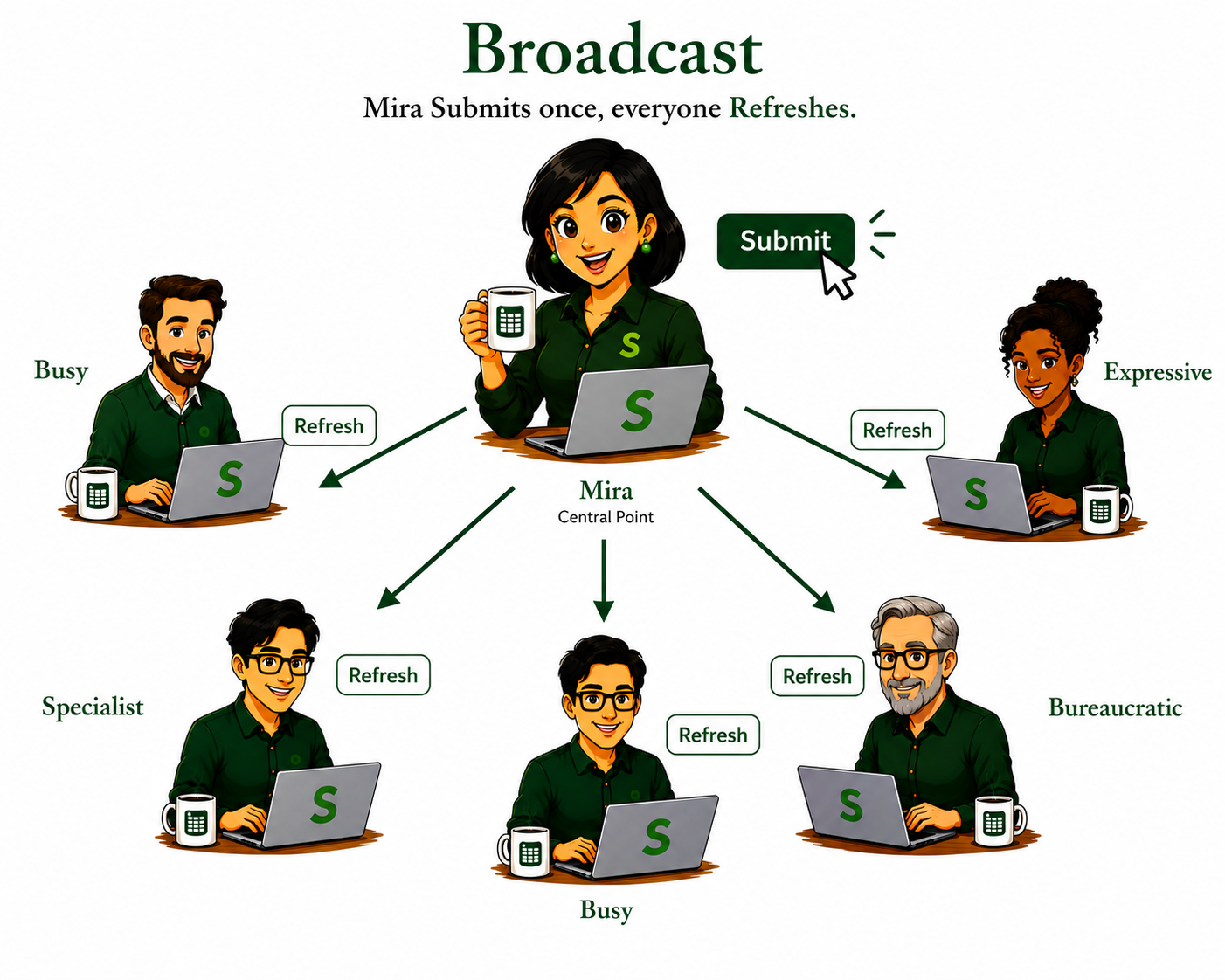
You are responsible for periodically updating a worksheet that is used by multiple parties.
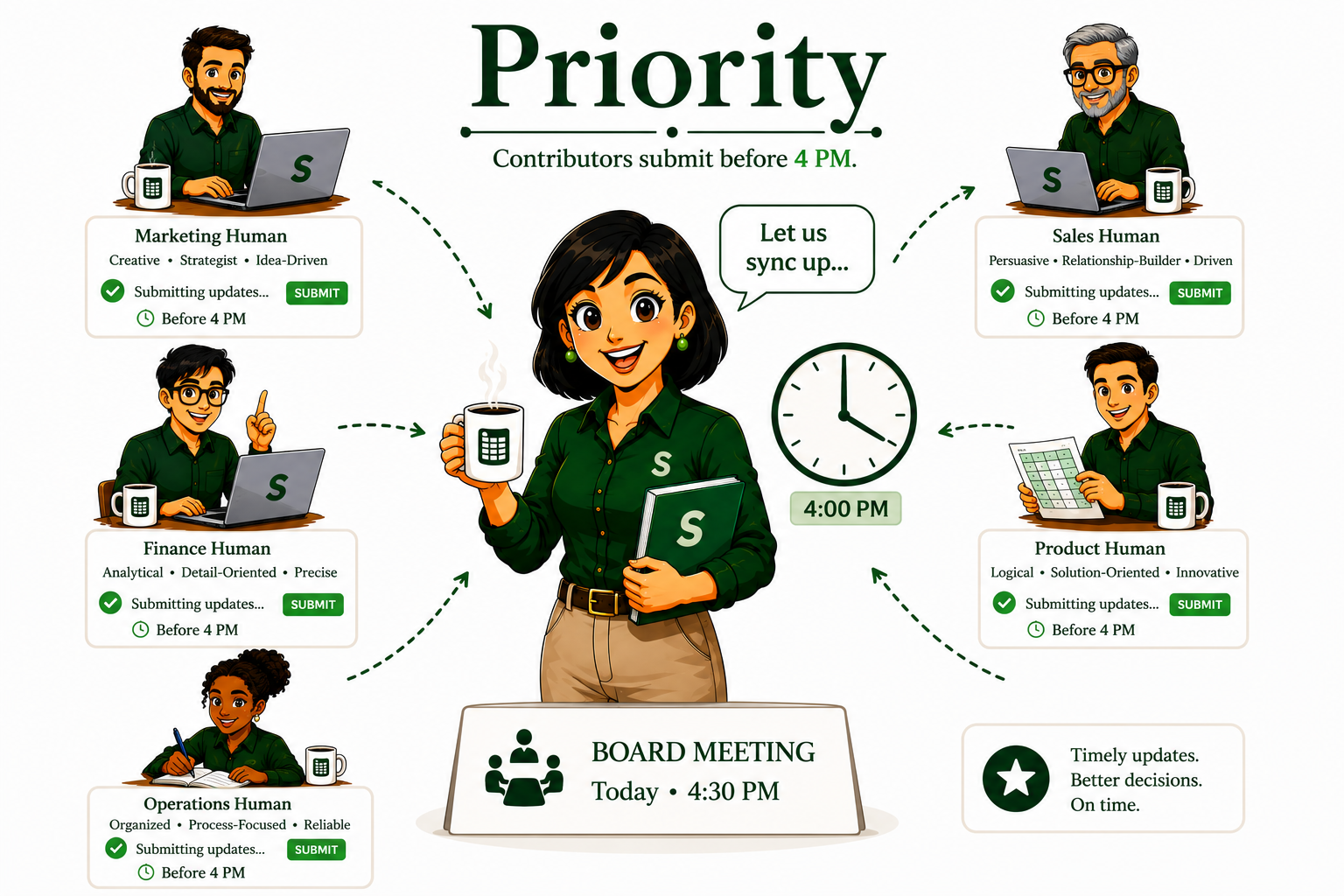
You need information from a contributor at a specific time.
See how teams use Symphony for specific workflows — where multiple people contribute, everyone needs to work in parallel, and the full history has to be preserved.
Reps update pipeline privately during the week. Sales leadership sees a consolidated, auditable forecast when the team Submits.
Marketing captures, SDRs qualify, sales owns. Every hand-off preserves the trail — source, enrichment, qualification, outcome.
Financial forecasting, hiring pipelines, budget consolidation, product roadmaps — anywhere teams share worksheets and need a clean history.
Worksheet conversations change over time. Symphony captures the chain of values, users, time, and reasons that led to the evolution — what, why, who, and when.
Mira Submits her first worksheet. Symphony creates Transaction T1.
Every change captures user, time, and reason — an audit trail from day one.
Busy starts her own private branch off T2.
Isolate your work — no interference with anyone else's version of the worksheet.
Mira iterates privately, then merges her changes to create T3.
Refine as many times as needed before showing the team a mature version.
Busy iterates in parallel, refreshing from T4 to see main's latest state.
Two users work at full speed — no locking, and unsaved changes are never lost during refresh.
Busy submits her mature branch, creating T5 on the main worksheet.
Only complete, considered changes flow into shared main — no half-formed work exposed.
Mira refreshes from T5 to bring Busy's changes into her own branch.
Independent work stays aligned with the team's latest, without ever leaving your workspace.
Mira pulls an older transaction (T2) forward into her current work.
Nothing is ever truly lost — history can flow back into the present when it's needed again.
Mira saves her final decision as T6, with the reason attached.
The main worksheet always knows why it's in its current state — decisions live with their rationale.
Compare any two transactions — Diff( T5, T1 ) tells the story of what changed between them.
The full audit — what, why, who, and how — is always recoverable, at any point in time.